
Settings: Planning defaults
Planning defaults are the store-wide settings behind your reorder suggestions and classifications. Set them once here; override individual products as needed.
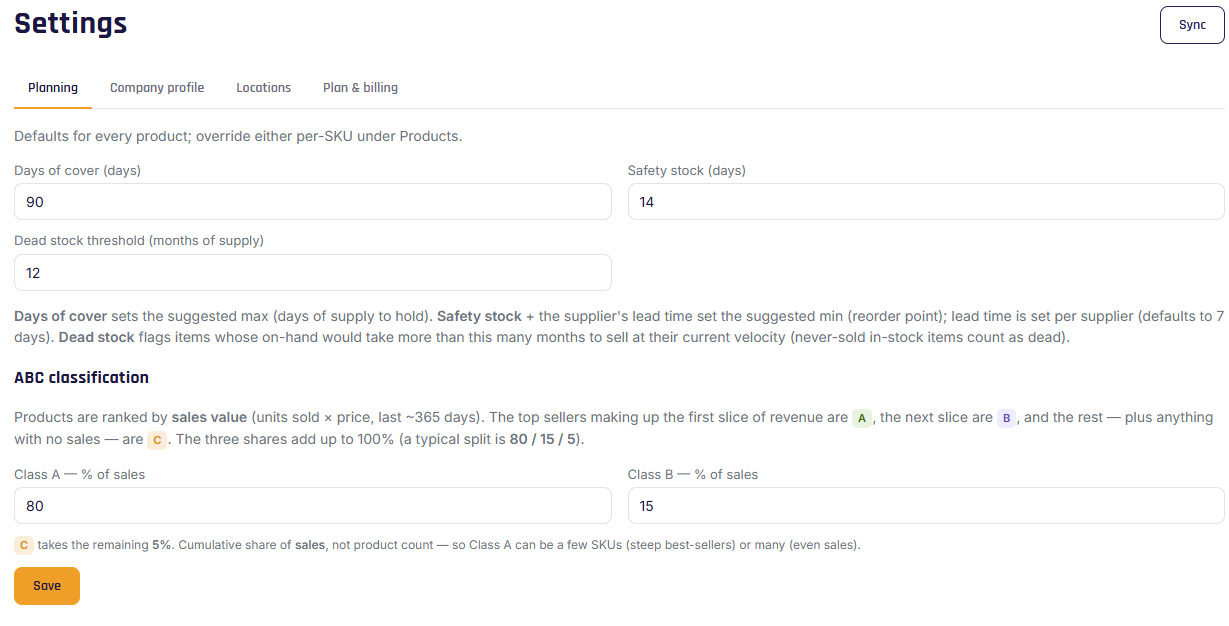
Settings
- Days of cover — how many days of stock to target; sets your order-up-to (maximum) level. A common starting point is 60–90 days. (Default: 90.)
- Safety-stock days — buffer on top of supplier lead time, built into your reorder point (minimum). (Default: 14.)
- Dead-stock threshold (months) — products whose on-hand would take more than this many months to sell are flagged as dead stock. (Anything in stock but never sold is always counted as dead stock.)
- ABC cutoffs — the revenue-share boundaries for Class A / B / C (default 80 / 15 / 5). See ABC classification.
Click Save to apply.
Note
These apply to every product unless that product has its own override. Per-product overrides live on the product's Replenishment rules tab — see Planning defaults & overrides.
Tip
Supplier lead time isn't here — it's set per supplier, because delivery speed varies by vendor. See Managing suppliers.