
Transferring stock
Available on Pro. Transfers appear only if your store has more than one location.
A transfer moves stock from one location to another — ship it from the source, receive it at the destination, and Stockwik keeps both locations' inventory accurate in Shopify along the way.
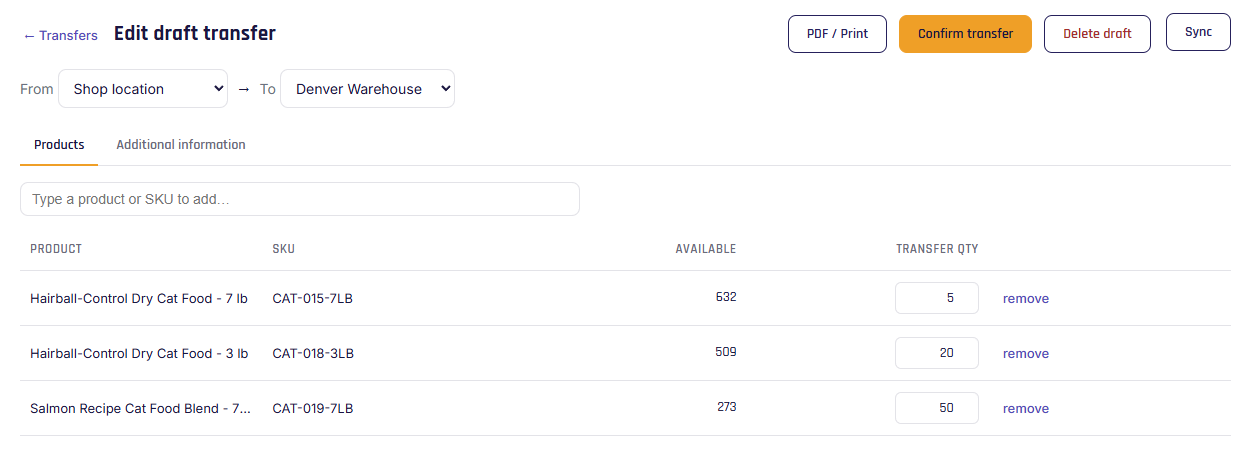
Creating a transfer
- Go to Transfers → + New transfer.
- Choose a source and a destination location (they must differ).
- Add products and a quantity for each. You can't transfer more than is available at the source.
- Save draft to finish later, or Confirm transfer to ship it now.
Shipping, receiving & closing
- Confirm transfer (ship) — on a draft, click Confirm transfer. Stockwik re-checks availability, reduces the source location's stock, and marks the transfer In transit. (Confirming is shipping — there's no separate ship step.)
- Receive items — open an in-transit (or partial) transfer, click Receive items, enter what arrived at the destination, then click Receive. The destination's stock increases. Receiving everything closes it as Received; receiving less keeps it open.
- Short receipt — if you receive fewer units than are outstanding, Stockwik asks: Keep open for more (stays Partial for a later receipt) or Close as-is — and if you close it, whether to Return to source (credit the missing units back) or Mark as lost (write them off).
- Cancel — on an open transfer, Cancel transfer asks the same about any outstanding units: Return to source or Mark as lost.
Statuses
| Status | Meaning |
|---|---|
| Draft | Created but not shipped; no stock has moved. |
| In transit | Shipped; stock left the source, not yet received. |
| Partial | Some units received at the destination. |
| Received | Fully received. |
| Cancelled | Cancelled (with missing units returned or written off). |
Use PDF / Print to print or download a transfer document for the people moving the stock.
Note
While stock is in transit it's simply absent from both locations' available counts — exactly where it physically is. Each leg is a clean, separate adjustment, so transfers are safe even if sales happen at the same time.